
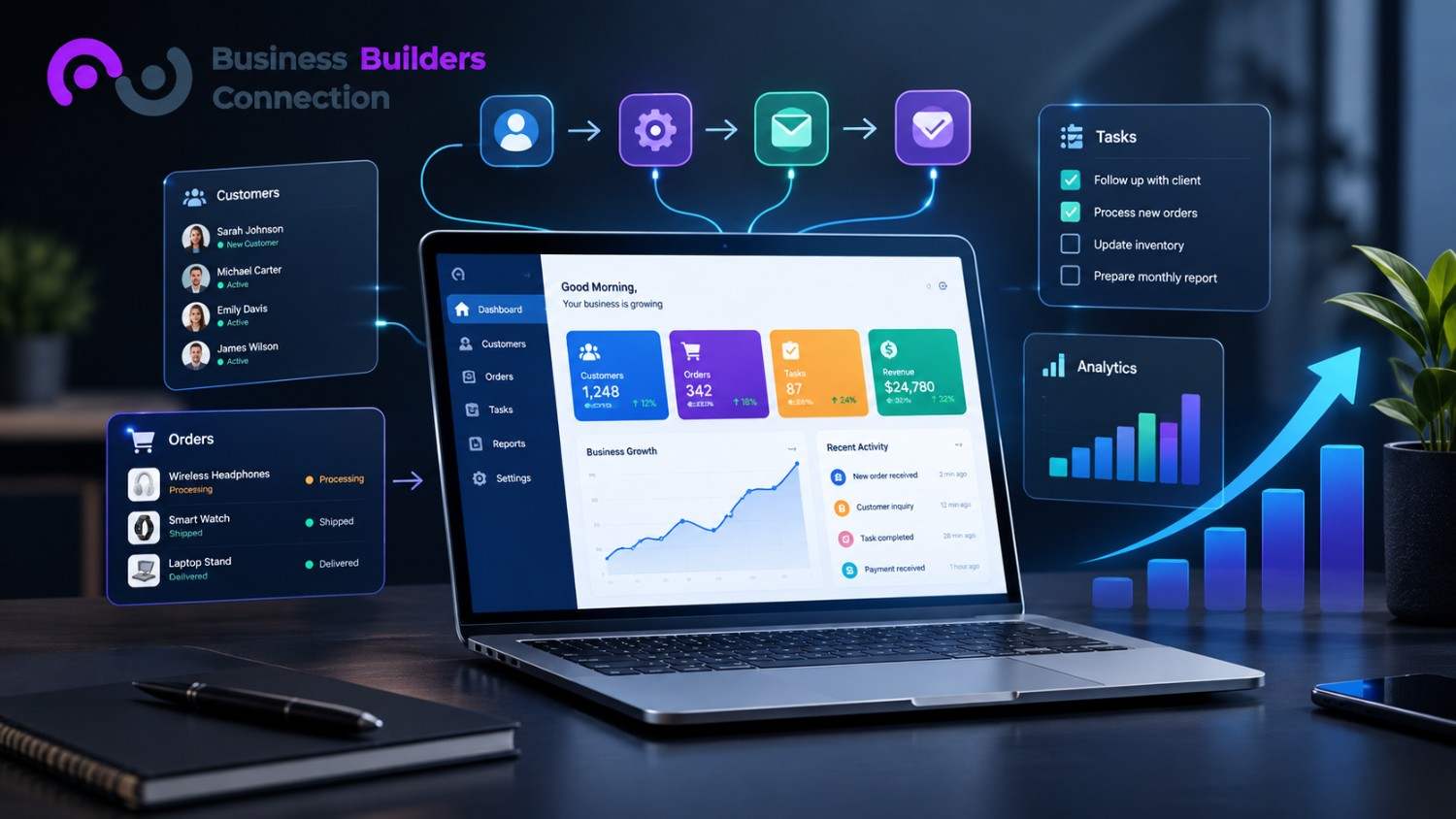
Manual processes quietly drain hours from every small business. Between copying data across spreadsheets, chasing approvals over email, and juggling disconnected tools, teams lose time that should go toward growth. Looking at real web application use cases for small businesses shows exactly where custom software closes these gaps and turns wasted hours back into productive ones.
Automating the Repetitive Stuff
One of the clearest web application use cases for small businesses is task automation. Instead of a person copying information from one system to another, a custom tool handles it instantly.
- Client onboarding forms that automatically create records in your CRM
- Invoice generation is triggered the moment a project is marked complete
- Document approvals are routed automatically to the right person
- Automated reminders for overdue tasks or deadlines
Bringing Scattered Data Into One Place
Small businesses often run on a patchwork of separate tools: one for billing, another for project tracking, a third for customer records. None of them talk to each other.
- A custom dashboard pulls data from multiple sources into a single view
- Teams get one accurate source of truth instead of conflicting numbers
- Reporting becomes faster since data does not need to be manually compiled
- Decision-makers see real-time information instead of outdated exports
This is one of the most requested web application use cases for small businesses, since fragmented data is one of the most common complaints owners bring to a development team.
Read More: Conversion Elements Your Business Website Needs for Better Lead Generation
Cutting Down on Costly Errors
Manual data handling naturally leads to mistakes, and those mistakes carry a real cost.
- Custom applications can reduce data entry errors by up to 71 percent
- Built-in validation catches mistakes before they enter the system
- Automated calculations remove the risk of manual math errors
- Fewer errors mean fewer costly corrections down the line
Security Built Around Your Business
Off-the-shelf software applies the same broad security settings to every user, regardless of role. Custom applications work differently.
- User permissions can be built around exact job responsibilities
- Sensitive data can be encrypted to match industry-specific compliance needs
- Access can be restricted to individual features
- Security settings can evolve as the business grows
The Real Financial Impact
Removing workflow friction has a direct, measurable effect on a business’s bottom line.
- Tailored web-based software can cut operating costs by as much as 47 percent
- Real-time data visualization can improve forecasting accuracy by 22 percent or more
- Faster reporting means faster, better-informed decisions
- A custom application becomes a long-term asset rather than a recurring subscription expense
Custom Apps vs Off-the-Shelf Software
The difference becomes clear once you compare them side by side.
- Workflow fit: off-the-shelf software forces your business to adapt to generic processes, while a custom build matches how your team works
- Scalability: off-the-shelf tools often require expensive plan upgrades, while custom apps scale by adding modules or users
- Integration: generic software relies on third-party connectors that can break, while custom apps connect directly to your CRM or databases
- Security: off-the-shelf platforms apply the same broad rules to everyone, while custom apps allow precise, industry-specific controls
This comparison is one of the clearest web application use cases for small businesses looking to move away from stacking subscription tools that never quite fit their process.
Learn More: A Practical Accessibility Checklist for Small Business Websites
Where Websites Fit Into the Picture
A custom web application often works alongside, not instead of, a strong business website.
- A well-designed website brings visitors in and builds trust
- A custom application handles what happens behind the scenes once a lead converts
- Together, they create a smoother path from first visit to completed transaction
- Businesses planning a rebuild often explore website redesign strategies for small businesses, and at the same time, they scope out internal tools
Understanding the Cost of Building Custom Software
Cost is usually the first question business owners ask, and it depends heavily on scope.
- Simple internal tools cost less than customer-facing platforms with complex features
- The cost of website development in California varies widely depending on design complexity and support needs
- Ongoing maintenance should be factored into the total cost, not just the initial build
- A phased approach, starting with core features, can make the investment more manageable
Comparing quotes from more than one provider helps avoid surprises once the project is underway. The cost of website development in California also depends on whether the provider handles design and development under one roof.
Choosing the Right Development Partner
Not every developer approaches custom software the same way, so it pays to ask the right questions upfront.
- Ask for examples of past projects similar in scope to yours
- Confirm whether the same team handles design, development, and ongoing support
- Ask how they approach data migration from existing tools
- Check their experience with your industry’s compliance needs
Working with an established web development company in California that understands both the technical and business side tends to produce smoother results than hiring on price alone. A capable web development company in California should also speak clearly about timelines and post-launch support.
Adding Smart Features Beyond the Core Build
Once the core application is in place, many businesses layer in additional tools that extend its value.
- Website chatbot development in California is increasingly paired with custom apps to handle inquiries around the clock
- Automated email sequences can be triggered directly from actions inside the application
- Analytics dashboards can track performance without separate reporting tools
- Mobile-friendly interfaces let staff or clients access the system from anywhere
Turning Visitors Into Customers
A custom application is only part of the equation if the goal is business growth.
- Clear calls to action guide visitors toward the next step
- Fast load times reduce drop-off before a visitor sees your offer
- Trust signals like reviews and case studies support conversion decisions
- Strong website conversion elements for small businesses work best when paired with the automation happening behind the scenes
The Bottom Line
Reviewing proven web application use cases for small businesses makes it clear why more businesses invest in custom tools instead of stacking off-the-shelf software. Whether you are exploring web application use cases for small businesses for the first time or ready to scope a full build, the right partner makes the difference between a tool that sits unused and one that actively drives growth.
Contact Business Builders Connection today to talk through your workflow.
Frequently Asked Questions
How much does a custom web application typically cost?
Cost depends on the complexity of the features, the number of integrations needed, and whether the project includes ongoing support, so pricing varies from one business to the next.
How long does it take to build a custom web application?
Simple tools can take a few weeks, while more complex platforms with multiple integrations can take a few months, especially with custom design and testing.
Can a custom web application replace all of my existing software?
Not always. Many businesses keep certain specialized tools and use a custom application to connect and streamline them, rather than replacing everything at once.
Do I need a chatbot along with my custom web application?
It depends on your business. A chatbot can help capture and respond to customer inquiries around the clock, which pairs well with an application handling internal workflows.
Is a custom web application worth it for a very small business?
Yes, especially if manual tasks are already eating up staff time. Even a simple automation tool can free up hours each week and reduce costly errors.
📅 Last updated: