

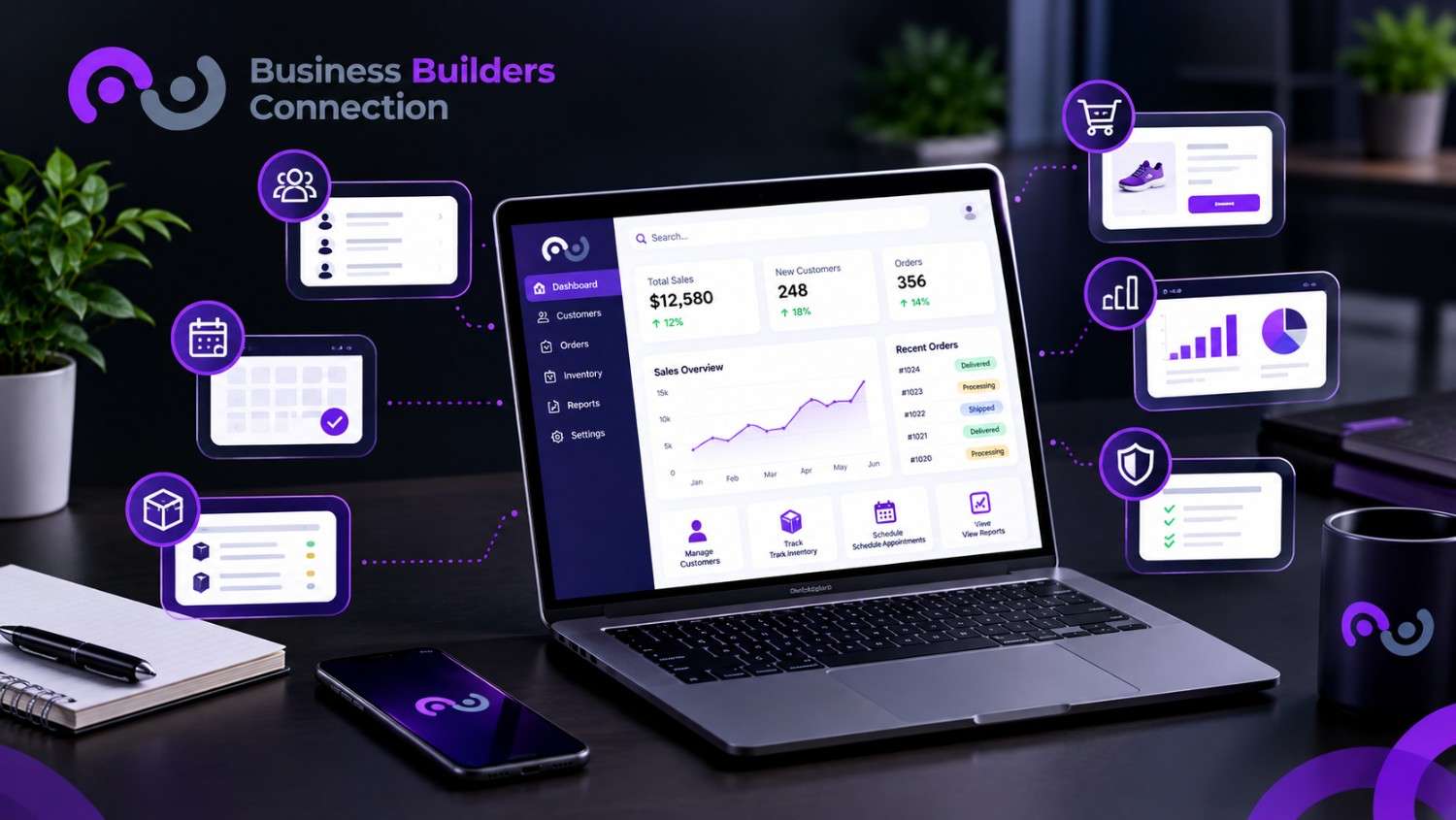
Small teams run on spreadsheets, email threads, and five apps that never talk to each other. A custom web app fixes that by fitting the tool to your workflow, not the other way around. This guide covers the top web application use cases for small businesses, the features worth having, and how to decide whether it is time to build one.
What Is a Custom Web Application?
It is software built around your exact workflows that runs in a web browser, usually on mobile too. It replaces rigid off-the-shelf tools with something shaped to how your team really works.
- A website informs. Visitors read pages and fill in a contact form.
- A web app does work. Users log in, submit requests, track progress, and manage data.
What Are the Top Web Application Use Cases for Small Businesses?
These six come up most often:
- Client onboarding and portals: When a lead changes status in your CRM, the app can send forms, collect documents, and open a private client space. That saves hours of admin.
- Inventory and order tracking: Watch stock counts live using barcodes or serial numbers, get low-stock alerts, and send shipping updates straight to customers.
- Internal task management: Swap messy email chains and spreadsheets for role-based lists, including one “My Tasks” view for the day’s priorities.
- Automated invoicing and payments: Billing rules and payment gateways like Stripe or PayPal cut data entry errors and speed up cash flow.
- Document approvals and compliance: The app logs version history and user actions automatically. That helps with rules like HIPAA or GDPR, and depending on your size and data, California privacy laws too.
- Custom reporting dashboards: Pull data from several tools into live KPI views tailored to each role.
Service businesses often add online booking with automated reminders, too.
Build a Better Website Today
Explore our website design and development services to create a professional, user-friendly website built for growth.
Which Use Case Fits Your Industry?
Web application use cases for small businesses vary by type of business. Here is a quick match:
- Service businesses and agencies: Client portals, booking and invoicing.
- Retail and e-commerce: Inventory and order tracking.
- Healthcare and finance: Document approvals with audit trails.
- Field and contractor teams: Task management and dispatch dashboards.
- Teams juggling many tools: Reporting dashboards that show everything in one place.
What Features Should a Modern Custom Web App Have?
Look for these five:
| Feature | What It Does |
|---|---|
| Responsive Design | Works smoothly on phones, tablets, and desktops, so staff and clients can log in anywhere. |
| Role-Based Access | Shows each person only the data their role allows, such as admin, staff, or client. |
| API Integrations | Connects your CRM, ERP, and accounting tools, so your data lives in one place. |
| PWA Support | Adds app-like speed, home-screen installation, and offline use in the browser. |
| Strong Security | Includes encryption, regular security audits, and compliance controls. |
Good user-friendly website design matters here too. If staff find the app confusing, they will drift back to spreadsheets. Together, these features turn web application use cases for small businesses into tools your team actually uses.
Ready to reduce manual tasks and streamline your workflows? Explore our marketing automation services in California to improve efficiency, save time, and support sustainable business growth.
Should You Build a Custom App or Buy Off-the-Shelf Software?
Buy when a standard tool already fits, and build when it does not. Standard tools like QuickBooks or HubSpot are the right choice. Custom starts to make sense when:
- Your workflow is unique and generic tools force awkward workarounds.
- Your tools do not connect, so people re-type the same data.
- Manual tasks eat hours every week.
- You need tight control over security and compliance.
The strongest web application use cases for small businesses all share one trait: they remove repeat manual work. Try a quick estimate.
If two people spend 5 hours each a week on manual entry at $25 an hour, that is $250 a week, or about $13,000 a year. Subscriptions often cost $50 to $500 a month, while a custom build costs more upfront, so compare the total over several years.
How Do You Start With Web App Development for Small Businesses?
Start small and aim at one real pain point. Web app development for small businesses works best in steps:
- Pick one painful process, the one that eats the most hours.
- Map the current steps, from first request to final result.
- List must-have features using the table above.
- Choose your integrations, such as CRM, accounting, or payments.
- Launch a first version, then improve it with real feedback.
- Plan security from day one, including who can see what.
- Measure the results, such as hours saved, fewer errors, and faster turnaround.
What Mistakes Should You Avoid When Building a Web App?
Most problems come from rushing the plan, not from the technology. Watch out for these:
- Building too much at once: A huge first release takes longer and hides what really works. Launch the essentials first.
- Skipping your team’s input: The people who use the app every day know where the pain is. Ask them early.
- Ignoring mobile use: If staff or clients cannot use it on a phone, adoption drops.
- Treating security as an add-on: Decide who sees what before you build.
- Forgetting training and support: Even a great app fails if nobody knows how to use it.
- Not measuring results: Track hours saved and errors, so you can prove it was worth the investment.
Where Can You Get Help With Custom Web Apps in California?
Business Builders Connection is a trusted digital marketing agency in California, based in Dublin, CA. It helps small business owners and startups move from manual, time-consuming work to AI-driven systems. Here is what it offers:
- Website design and development from a web design and development company that builds sites to convert visitors into clients
- Custom website development with mobile-friendly, easy-to-use layouts
- AI and automation, including workflow automation, CRM management, and 24/7 chatbots
- Google Ads, email marketing, and SEO to bring in traffic
- A simple requirements form, with a lead generation expert replying within 24 hours
Whether you need web app development for small businesses or a full website refresh, you can request a quote through the site.
Final Thoughts
Custom web apps are worth it when they save time, cut errors, and give your team one clear place to work. Start with the process that hurts most, choose features that match it, and measure the results. Ready to explore web application use cases for small businesses for your own company?
Contact Business Builders Connection, a trusted digital marketing agency in California, and turn your manual work into an automated system.
Frequently Asked Questions
What is a custom web application?
It is software built around your business’s exact workflows that runs in a web browser. It replaces generic tools with something tailored to how your team works.
How is a web app different from a website?
A website mainly shares information. A web app lets users log in, submit data, track progress, and complete tasks.
How much does a custom web app cost?
It depends on the features, integrations, security needs, and number of users. Ask for a scoped quote, and compare it with what manual work and subscriptions cost you today.
Are custom web apps secure?
They can be, when built with encryption, role-based access, and regular security audits. Ask your developer how they handle security and compliance.
Can a web app connect to the tools I already use?
Yes. Through API integrations, it can link to your CRM, accounting software, and payment gateways.
📅 Last updated: